 SeedBase
Generate test data in VS Code
Stop writing throwaway seed scripts or copy-pasting fake rows that break on the first foreign key. The SeedBase extension generates realistic, foreign-key-consistent data from your schema, data that actually looks real (not "Premium Widget 1" and lorem ipsum), and pulls it into your workspace as SQL, CSV or JSON without leaving the editor. Works in VS Code and Cursor.
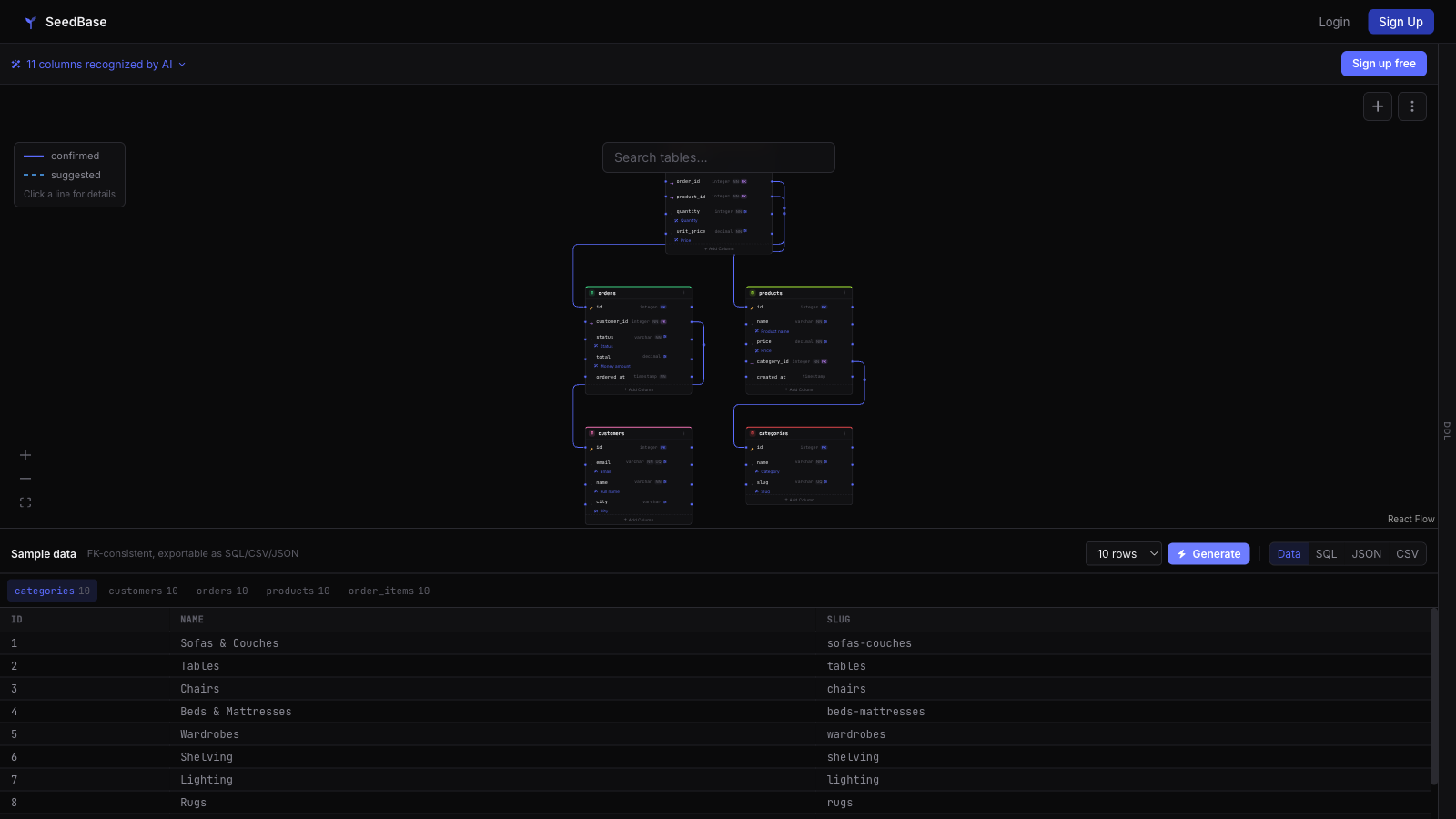
Want to see the output before installing? Try the login-free sandbox: paste a schema, generate, look at the rows.
Why generate test data inside the editor
- No context switch: stay in the file you are testing, run a command, get loadable data.
- The data is foreign-key-consistent: every
customer_idpoints at a customer that exists, so it loads with constraints on. - Pull straight into your repo as SQL, CSV or JSON, then load it into your dev database or fixture folder.
Everything the extension can do
From the SeedBase view in the Activity Bar, the Command Palette, or the right-click menu on a project or generation.
Projects
- Create Project from Schema — turn a
.sqldump, Djangomodels.pyor a Prisma schema into a project. The database type is detected automatically, you pick which tables to send, and large SQL dumps are streamed. - Push Schema Changes — update a project from your schema files, choosing which tables to send.
- Generate Data and get notified when it completes.
- Preview Data — open a generation as a read-only table in an editor tab (row limit via
seedbase.previewRows). - Insert Test Data at Caret — drop FK-consistent rows into the open file, formatted for the file type.
- Mock API — serve the project's data as a live REST API; open the built-in Swagger Explorer, copy the URL, rebuild or disable.
- Upload OpenAPI — serve your own OpenAPI/Swagger contract with FK-consistent data.
- Load into Database / Reset & Reseed / Seed Test Data — run a generation straight into your local database; the connection string is auto-detected from
.env,docker-compose.ymlorprisma/schema.prisma. - Open in Browser and a status bar entry for quick access.
Generations
- Pull Data as SQL, CSV or JSON into the workspace.
- Delete Generation (with confirmation).
Install
Install from your marketplace of choice. The extension is the same across VS Code and Cursor.
- VS Code Marketplace — search "SeedBase" in the Extensions panel.
- Open VSX — for Cursor, VSCodium and other open builds.
- Download the VSIX — then
Extensions: Install from VSIX…in the Command Palette.
From schema to data in four steps
- Open the Command Palette (
Cmd/Ctrl+Shift+P) and runSeedBase: Sign in. It opens the browser once to link the editor to your account. - Run
SeedBase: Generateand pick a project. SeedBase builds a foreign-key-consistent dataset from that schema. - Run
SeedBase: Pulland choose the format, SQL, CSV or JSON. - Load the SQL into your dev database, or drop the CSV/JSON into your fixtures. Done.
Your account, projects and row limits are the same ones you see at seedbase.dev. Build a schema there from a SQL dump, Django models or a Prisma schema, then drive generation from the editor.
Works with your stack
- Editors: VS Code and Cursor. There is also a JetBrains plugin for IntelliJ, PyCharm, DataGrip and the rest.
- Databases: PostgreSQL, MySQL, MariaDB, SQLite, SQL Server. Export SQL, CSV or JSON; Pro pushes straight into the database.
- Schemas: import from a SQL dump, Django models, a Prisma schema, or a live connection.
Generate real test data without leaving VS Code.
Install the extension, sign in once, and pull foreign-key-consistent SQL, CSV or JSON into your project. Free tier, no card.
Create a free accountMore: JetBrains plugin · For AI agents · Django test data · Docs · home